
Are you looking to build a directory website quickly without coding? With Lideroo, you can design, organize, and publish your own directory in just a few steps. In this tutorial, we’ll create a sample directory site listing the best dog-friendly places in Europe perfect for pet owners who love to travel with their furry friends.
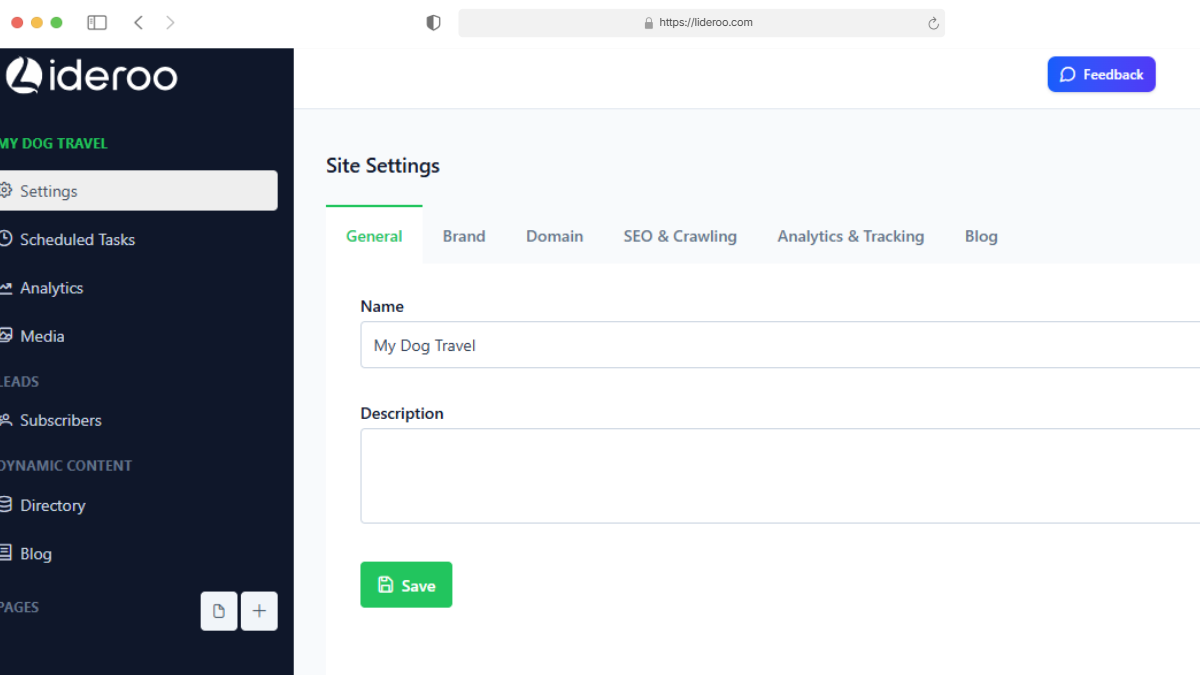
1. Create Your Site and Choose a Name
Start by creating a new project in Lideroo. Give your directory site a name something relevant like Dog-Friendly Europe or Best Places for Dogs.
2. Set Up Your Collections
Collections are the backbone of your directory. They define the structure of your content and allow you to create categories and filters.
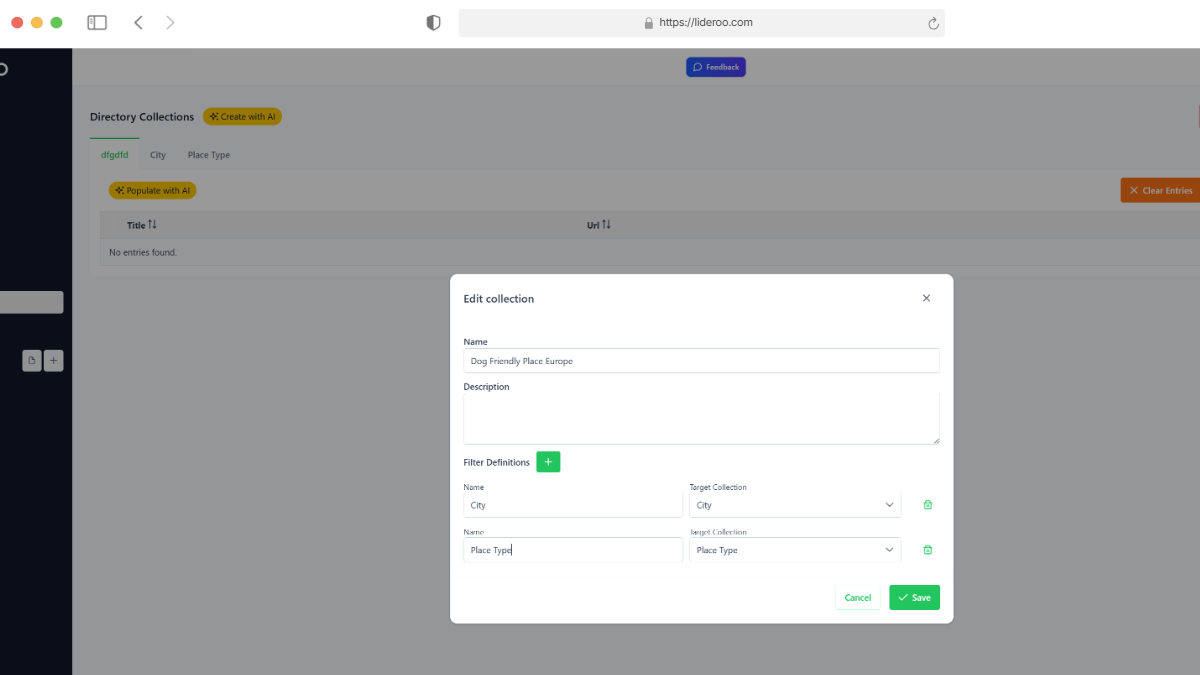
First, create two filter collections:
- City (e.g., Paris, Berlin, Rome)
- Place Type (e.g., Bar, Hotel, Park)
Then, create your main directory collection and link the filters you want to use. This makes it possible for users to browse your site by city and type of place.
3. Import Data into the Collection
Have a CSV file with your directory items? You can import it directly into Lideroo. Simply map the CSV columns (such as name, description, city, type, image, etc.) to the fields in your collection. This saves time and ensures your directory content is consistent.
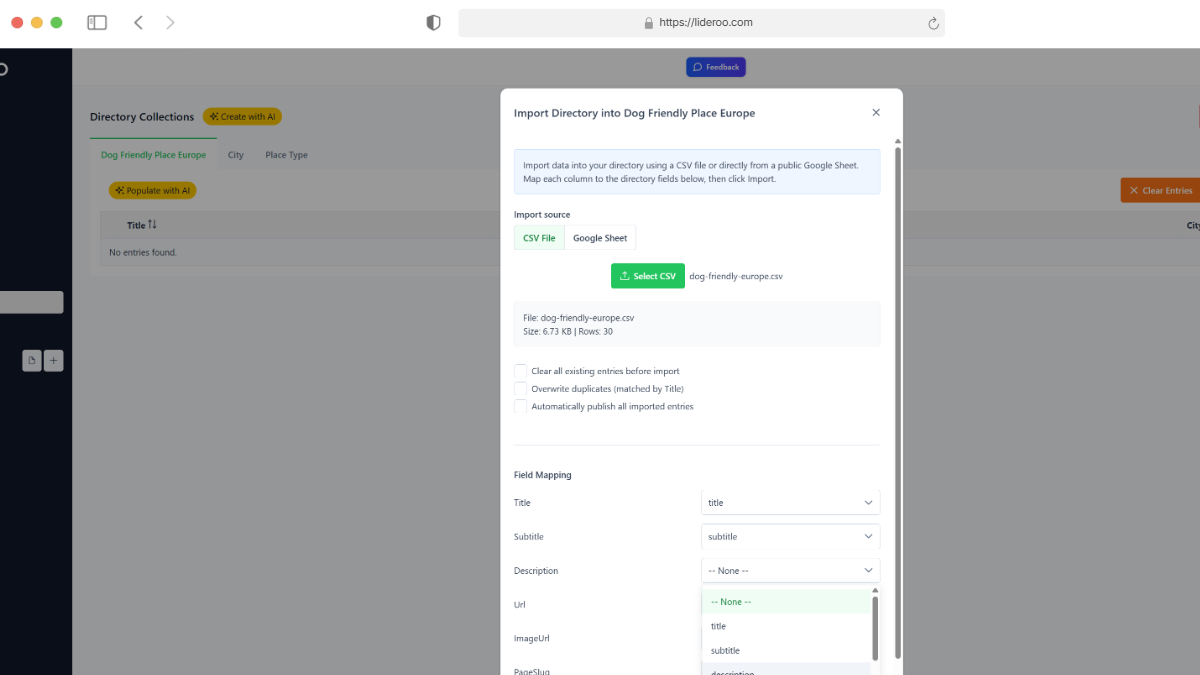
💡 Pro Tip: In addition to CSV import, you can also connect a Google Sheet as your data source, or even use AI to generate directory content automatically. This makes it faster than ever to build and scale your directory.
4. Build the Home Page
Next, create your homepage. This will be the first impression of your directory website, so keep it clear and engaging.
💡 Pro Tip: Don’t want to start from scratch? With Lideroo you can instantly generate a complete homepage using AI—including layout, text, and images, then customize it to match your style.
5. Add Navigation Header and Hero Section
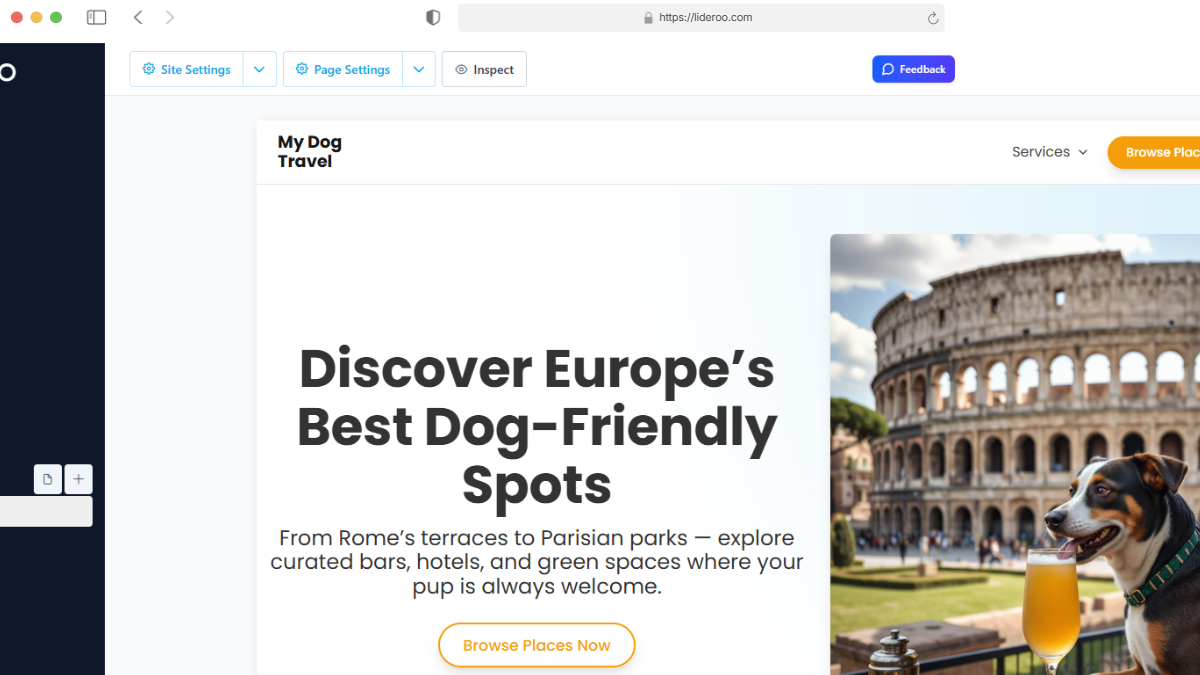
Add a navigation header to help users move through your site, and create a hero section with a strong headline and background image that introduces your directory. For example:
“Discover Europe's Best Dog-Friendly Spots”
6. Add and Configure the Directory Component
Drag the directory component into your homepage. Configure it to display items from your main directory collection, and enable the filters you created (City and Place Type). This gives your visitors an easy way to browse and discover dog-friendly spots.
7. Create a Dynamic Page for Each Directory Item
To make your directory more detailed, add a dynamic page template. Each item in your collection will automatically generate its own page, showing its description, images, and related details.
For example, a listing for “Dog-Friendly Café in Berlin” would have its own page with directions, ratings, and photos.
8. Publish Your Site
Once your design is ready, simply hit Publish. Lideroo will generate a fully responsive, SEO-friendly directory website that you can share immediately.
Final Thoughts
With Lideroo, building a directory site takes minutes, not weeks. Whether you’re creating a list of dog-friendly places in Europe, local business directories, or travel guides, the process is simple and customizable.
👉 Ready to build your own? Start with Lideroo today.