

SEO for no-code templates is about optimizing websites to rank better in search engines while being user-friendly for non-technical users. Here's what you need to know:
- Why SEO Matters: Over 60% of web traffic comes from mobile, and 53% of users leave if a site takes over 3 seconds to load. SEO improves site speed, mobile responsiveness, and user trust.
- Templates and SEO: A good template impacts rankings by supporting mobile-first indexing, fast loading, and proper structure (headings, semantic HTML, navigation).
- Tools Like Lideroo: Platforms like Lideroo simplify SEO with built-in features like AI-powered meta tags, schema markup, and analytics tools. Plans range from a free Basic option to premium ones ($49/month and $119/month) with advanced automation.
- Keyword Research: Focus on terms aligned with user intent. Use tools like Google Keyword Planner or SEMrush to find valuable keywords and analyze competitors.
- Content Structure: Use clear headings, strategic keyword placement, and internal links to improve readability and rankings.
- On-Page SEO: Optimize title tags, meta descriptions, image alt text, and URLs. Platforms like Lideroo make these adjustments easy.
- Technical SEO: Ensure fast load times, mobile optimization, HTTPS security, and structured URL formats. Tools like Lideroo automate these processes.
- Tracking Performance: Use analytics (Google Analytics, Search Console, or Lideroo’s dashboard) to monitor traffic, bounce rates, and keyword rankings. Regular audits help maintain strong performance.
Key takeaway: Choose fast, mobile-friendly templates, optimize content and structure, and leverage tools like Lideroo to simplify SEO management. Tracking and refining your strategy ensures long-term success.
Keyword Research and Content Structure
How to Do Keyword Research
Keyword research is the backbone of creating successful no-code templates. To get started, you need to understand how your audience searches for information and focus on terms that attract the right traffic.
Begin with seed keywords - these are the basic terms that represent your business or content niche. For example, a fitness blog might start with "home workouts" and then branch out to more specific, long-tail keywords like "beginner home workout routines."
Leverage AI tools to simplify the research process. Platforms like Google Keyword Planner, SEMrush, and Ahrefs can help you uncover search volumes, evaluate competition, and spot content gaps. The trick is to prioritize user intent over raw search volume. A keyword with fewer searches but a clear alignment with your audience's needs can often outperform high-volume, competitive terms.
Analyze your competitors for additional insights. Look at the top-ranking pages for your target keywords to identify patterns in their content structure and keyword placement. This can reveal strategies that contribute to their success in search rankings.
Organizing Content for SEO
After pinpointing your target keywords, the next step is to organize them effectively within your content. This not only improves the user experience but also enhances your search engine visibility. Start by creating a clear content hierarchy where primary keywords feature prominently in titles, headings, and early paragraphs.
Strategic keyword placement is key. Include your main keyword in the page title, meta description, opening paragraph, and at least one H2 heading. Secondary keywords should naturally flow throughout the content, showing up in body text, image alt tags, and internal links. Avoid overloading your content with keywords - search engines now focus on context and relevance rather than sheer keyword density.
Write meta descriptions that are concise (under 160 characters) and include primary keywords to encourage clicks.
Internal linking is another crucial element. By linking your pages with descriptive anchor text, such as "explore mobile-responsive template design", you make navigation easier for users and help search engines understand your site's structure. This also distributes link equity effectively across your site.
Maintain a logical heading structure using H1, H2, and H3 tags. Limit each page to one H1 tag for the main topic, and use H2 and H3 tags for subtopics. AI tools can assist in streamlining this process to ensure your content is both scannable and SEO-friendly.
Using Lideroo's AI Content Features
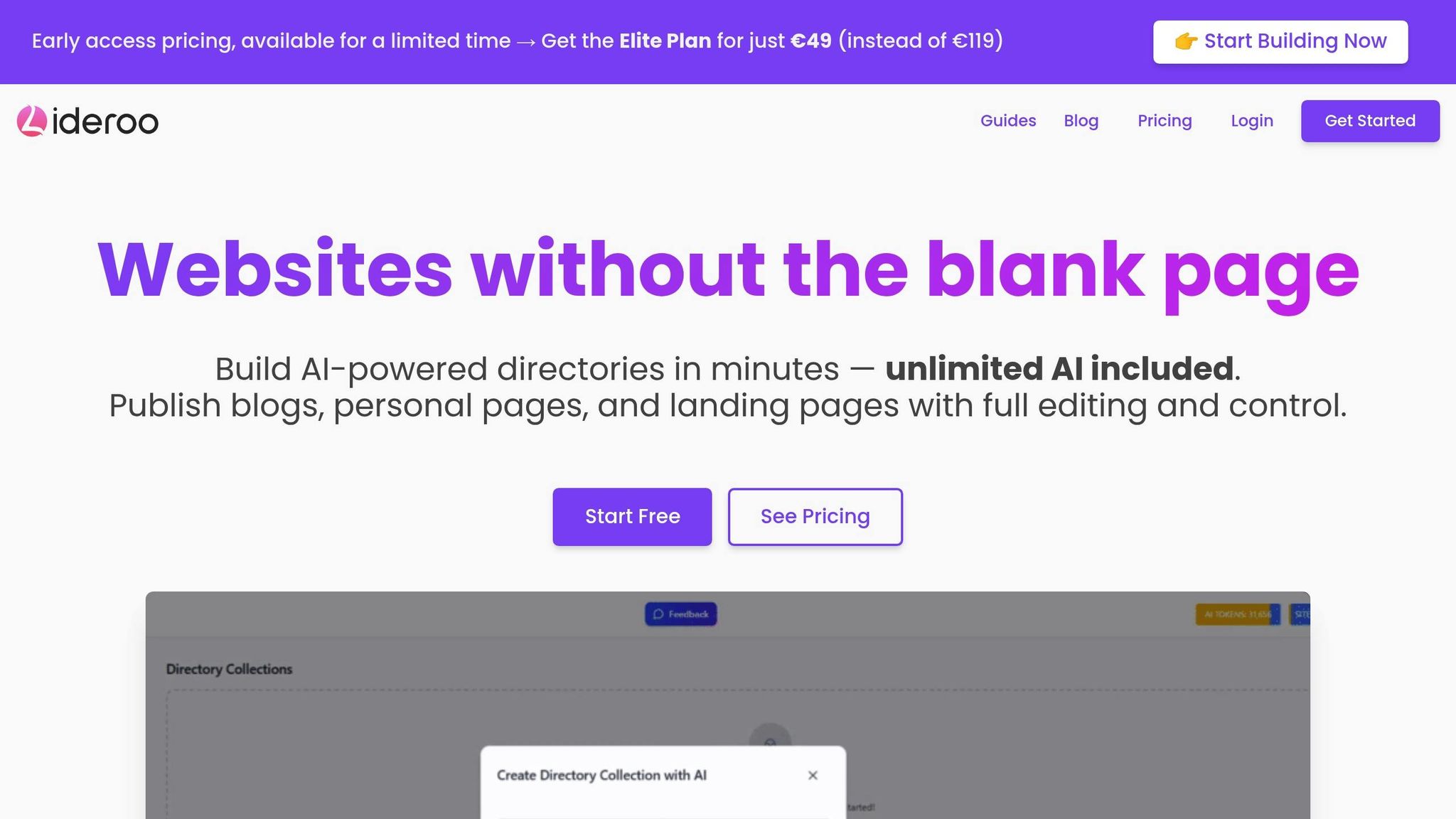
Lideroo’s AI tools take keyword optimization and content structuring to the next level, saving time and effort while improving results.
When you start a new site with Lideroo, the AI Page Builder creates a draft structure based on your input about categories, topics, and audience preferences. This draft includes keyword-rich headings, meta descriptions, and content sections, giving you a ready-to-go SEO-optimized framework.
The AI Content Enhancement feature refines your content further. It evaluates your site for semantic relevance, readability, and SEO performance, offering suggestions to improve keyword usage and ensure natural language flow. By incorporating related terms and synonyms, it strengthens your content’s authority on the topic.
For directory sites, Lideroo’s AI streamlines the process by generating filters, categories, and layouts. It also creates keyword-rich descriptions for each listing, automating keyword research at the individual listing level.
Lideroo’s premium plans offer advanced features that monitor your content’s performance and recommend updates based on changing search trends and algorithms. Even with the free Basic plan, you get access to 100,000 AI tokens for content enhancement and page building, providing a strong starting point for AI-driven SEO optimization.
On-Page SEO for Templates
Key On-Page SEO Elements
Getting on-page SEO right means focusing on specific elements that help search engines understand and rank your content effectively. Let’s start with title tags. These should be between 50–60 characters and include your target keywords naturally. Think of them as the headline for your page - something that grabs attention while clearly explaining what visitors will find.
Next up, meta descriptions. These short summaries (150–160 characters) act like mini-ads for your page, encouraging users to click. Write clear and engaging copy that highlights the value of your content.
Header tags are another critical piece. They create a logical structure for your content, making it easier for both users and search engines to navigate. Use a single H1 tag for your main title and organize subsections with H2 and H3 tags. This hierarchy signals the importance of different sections on your page.
Don’t forget about image alt text. This serves two purposes: it improves accessibility for visually impaired users and helps search engines understand your images. Keep alt text concise (under 125 characters) and descriptive, and include relevant keywords when it fits naturally.
Finally, pay attention to your URL structure. Instead of generic URLs like "yoursite.com/page123", use descriptive, keyword-rich URLs such as "yoursite.com/seo-template-optimization." This not only helps search engines but also gives users a clear idea of what to expect.
The good news? Most of these elements can be easily adjusted through template customization tools.
Customizing Templates for SEO
Once you’ve nailed the basics, the next step is optimizing your templates to support these SEO elements. Modern no-code builders make this process straightforward with drag-and-drop interfaces. You can tweak title tags, meta descriptions, header tags, image alt text, and URLs without ever touching a line of code.
For example, Lideroo’s template customization tools make SEO adjustments simple. Its page settings panel allows you to update SEO elements quickly while providing instant search result previews. You can also reorganize content blocks and adjust header tag hierarchies in real time, so you know exactly how your changes will look.
Adding alt text is just as easy. Click on an image, open its properties panel, and insert a descriptive, keyword-rich alt text. Even the file names can be optimized during upload - swap out generic names like "IMG001.jpg" for something clear and relevant, like "seo-template-guide.jpg."
Internal linking is another area where templates can help. Highlight text and use the built-in linking tool to connect to relevant pages. Use descriptive anchor text, such as "comprehensive SEO guide", instead of generic phrases like "click here." This approach not only improves navigation but also helps search engines understand the relationships between your pages.
Schema Markup and Structured Data
Beyond the visible elements, structured data plays a key role in communicating with search engines. Schema markup acts like a translator, helping search engines understand the context and details of your content. Properly implementing schema can enhance your search listings with rich snippets - like star ratings, prices, or event dates - that appear directly in search results.
Many no-code platforms simplify this process, offering tools to add structured data without requiring technical expertise. These tools often use standard JSON-LD formatting, making it easy to apply schema markup to your pages. This not only saves time but also makes your content more accessible to search engines, potentially improving your click-through rates.
Rich snippets created through schema markup can make your site stand out in search results, offering extra details that encourage users to click on your link over others.
Technical SEO for Templates
Site Speed and Mobile Optimization
Site speed is a game-changer for rankings. According to Google's research, 53% of mobile site visits are abandoned if a page takes more than 3 seconds to load[1]. This makes optimizing your template for speed absolutely essential.
When selecting a template, prioritize those built with lightweight code and optimized for fast performance. Templates designed with efficient coding practices and reliable server setups ensure quicker page delivery. One simple yet powerful trick to improve speed is image compression. Tools like TinyPNG can shrink file sizes by up to 70% without any noticeable drop in quality. Many template builders now offer automatic image compression, optimizing images as you upload them. Another handy feature to look for is built-in lazy loading, which delays image loading until users scroll to them - saving precious seconds.
Mobile optimization has become even more critical with Google's shift to mobile-first indexing. This means Google primarily evaluates the mobile version of your site for ranking and indexing. To meet this standard, your template needs to be fully responsive, not just "mobile-friendly." A responsive template adapts layouts, font sizes, and navigation automatically to fit various screen sizes, delivering a smooth experience across devices.
To ensure your site performs well on mobile, use Google's Mobile-Friendly Test tool. Check for features like touch-friendly navigation, readable text without zooming, and properly sized tap targets. These small details significantly impact both user experience and search rankings.
URL Structure and HTTPS Setup
Once your site is optimized for speed and mobile users, the next step is refining your URLs and ensuring security. Clear, descriptive URLs act as signposts for search engines, making it easier to understand your content. Instead of a generic URL like "yoursite.com/page?id=123", aim for something like "yoursite.com/technical-seo-templates." This approach not only boosts SEO but also improves user navigation - especially for blogs and directory sites.
Most modern template builders simplify the process of customizing URLs, allowing you to edit them directly in the page editor. Structured, keyword-rich URLs help search engines and users alike understand your site's content hierarchy with ease.
When it comes to security, HTTPS is now non-negotiable. Over 90% of websites on Google's first page use HTTPS[2]. Thankfully, many template platforms handle SSL certificate setup for you, often using free solutions like Let's Encrypt. This eliminates the hassle of manual configuration or renewal, making it simple to secure your site.
Technical SEO with Lideroo
After addressing on-page and mobile optimizations, technical settings ensure your site remains fast, secure, and fully indexed. Lideroo templates are designed to handle these essentials seamlessly. For instance, Lideroo automatically optimizes site speed as part of its hosting service, ensuring pages load quickly without any extra effort on your part. Every template includes integrated hosting, speed optimization, and security features.
Lideroo also takes care of generating XML sitemaps, which help search engines discover and index your content efficiently. It manages robots.txt and canonical URL settings to avoid duplicate content issues - an especially useful feature for blogs and directory sites that frequently update their content.
Responsive design is another strength of Lideroo templates. They automatically adjust to different screen sizes, ensuring your site looks great on any device without requiring additional coding.
For those building blogs or directory websites, Lideroo offers advanced tools like structured data implementation. This helps search engines understand your content better, increasing the chances of earning rich snippets in search results. Additionally, the platform includes robust user and content management tools, making it easier to organize and update your site.
What sets Lideroo apart is its AI-driven SEO optimization. The platform provides ongoing recommendations to keep your site performing well in search rankings, allowing you to focus on creating content while it handles the technical heavy lifting. This combination of automation and advanced tools ensures a strong foundation for your site's long-term success.
sbb-itb-dfa823a
Tracking and Improving SEO Performance
Setting Up SEO Analytics
A strong SEO strategy starts with effective analytics. Key metrics to monitor include organic traffic, keyword rankings, bounce rate, average session duration, pages per session, and conversion rate. These data points reveal how well your template draws in visitors, keeps them engaged, and converts them into customers.
Setting up analytics with Lideroo is a breeze. You can either use its built-in analytics tools or connect third-party platforms like Google Analytics and Google Search Console. To get started with Google Analytics, simply paste your tracking ID into Lideroo's settings, and you'll begin collecting data immediately.
Google Search Console is another must-have tool. It provides a detailed view of how your site performs in search results, showing the keywords visitors use to find you, how often your pages appear, and your click-through rates. This information is invaluable for identifying what’s working and where there’s room for improvement.
For websites and blogs created with Lideroo, the platform’s dashboard simplifies the process of monitoring these metrics. You can check traffic sources, user behavior, and keyword performance all in one place. Additionally, setting up goal tracking - like newsletter signups or contact form completions - helps you pinpoint which pages drive the most meaningful actions. With accurate data in hand, you can fine-tune your template's performance for better results.
Using Data to Improve Templates
Once you’ve gathered insights, it’s time to turn them into action. For example, pages with high bounce rates or short session durations might indicate content that doesn’t meet user expectations or pages that are slow to load.
If a blog post has plenty of impressions but a low click-through rate, refreshing its meta title and description can make it more appealing in search results. Look for trends in your top-performing content - what topics, formats, or keywords consistently attract traffic? These patterns can guide your future content strategy.
Lideroo’s AI-driven tools can assist by analyzing your data and suggesting new topics. If specific keywords are bringing in traffic, the AI can recommend related topics or even update existing content to better target those terms. This ensures your template stays competitive without requiring constant manual adjustments.
You can also use analytics to refine internal linking on high-traffic pages, guiding visitors to your most important content and keeping them engaged longer. Regularly analyzing and adapting based on your data is key to maintaining strong SEO performance.
Regular SEO Audits and Updates
Even with solid on-page and technical SEO in place, regular audits are critical for long-term success. Search engine algorithms evolve constantly, and competitors are always looking for an edge. Conducting SEO audits at least quarterly helps you identify and fix issues before they hurt your rankings.
During an audit, check for broken links, mobile responsiveness, page speed, proper meta tags, and valid schema markup. Tools like Google Search Console, PageSpeed Insights, and Lideroo’s built-in SEO checker can automate much of this work, saving you time.
Businesses that perform regular SEO audits can see up to a 30% increase in organic traffic within six months. After major algorithm updates, closely review your analytics for sudden traffic changes that could signal new issues.
Lideroo keeps its templates and SEO features aligned with the latest best practices and algorithm changes. Notifications alert users to important updates, and support resources like documentation and tutorials are readily available. This allows you to focus on creating great content while Lideroo handles the technical side.
Common challenges with no-code templates include duplicate content, slow loading times, poor mobile optimization, and missing structured data. Analytics can help you spot these issues, such as high bounce rates on mobile devices or sudden drops in organic traffic. Addressing these problems promptly ensures your site stays competitive in search rankings.
Does a Squarespace Template Impact SEO? What You Need to Know 👩💻

Conclusion and Key Takeaways
Using no-code templates for SEO strikes the perfect balance between ease of use and strong search performance. In this guide, we’ve delved into how platforms like Lideroo are breaking down the traditional barriers between creating user-friendly websites and achieving effective SEO.
The key to mastering template SEO lies in recognizing that technical precision and high-quality content go hand in hand. While Lideroo automates many technical aspects, your primary focus should remain on crafting meaningful, well-organized content that genuinely addresses your audience’s needs.
At the heart of your SEO efforts are keyword research and a solid content structure. With Lideroo’s AI-driven content tools, you can uncover opportunities and create naturally optimized, in-depth content. Search engines prioritize websites that deliver real value - not just those that tick technical boxes. By taking this approach, you can use AI to refine your strategy and make data-informed decisions.
Lideroo’s fully integrated AI tools - from content creation to performance tracking - offer a significant edge. These tools don’t replace human expertise; instead, they enhance it, freeing you to concentrate on strategic decisions while automation handles repetitive tasks.
To sum it up: a well-designed template, built-in SEO features, and consistent monitoring are the cornerstones of success. The most successful websites combine ongoing data analysis with regular updates and optimization. From day one, set up analytics to track performance and use those insights to guide your content strategy.
FAQs
How can I use AI tools like Lideroo to improve SEO for no-code website templates?
Lideroo makes SEO a breeze for no-code templates with its AI-driven tools. It takes care of essentials like generating meta tags, sitemaps, and structured data, all aimed at increasing your website's visibility.
On top of that, its smart content creation and auto-optimization features allow you to build SEO-friendly pages with ease. This means you can save time while improving your search rankings. With Lideroo handling the technical SEO work, you can focus on designing and customizing your website without getting bogged down by the details.
What should I focus on to optimize a no-code website template for speed and mobile responsiveness?
To make your no-code website template faster, start by compressing images to reduce file sizes without losing quality. Also, minify CSS and JavaScript files to eliminate unnecessary code and speed up loading times. Pair these efforts with a reliable hosting provider to ensure consistent performance.
For mobile responsiveness, use a flexible, grid-based layout that adapts effortlessly to different screen sizes. Test your site on a variety of devices, including smartphones and tablets, to ensure it looks great and functions smoothly. Don’t forget to choose mobile-friendly fonts and design buttons that are easy to tap for an improved user experience.
How can I use analytics to improve the SEO of my no-code website templates?
Lideroo comes equipped with SEO tools and analytics tracking that are designed to help you continually improve your website's performance. By keeping an eye on important metrics like traffic sources, keyword rankings, and user behavior, you can pinpoint what’s working and what needs attention.
These insights allow you to refine your content, tweak your keyword strategy, and adjust technical SEO settings. The result? A website that remains competitive and steadily boosts its online visibility.