
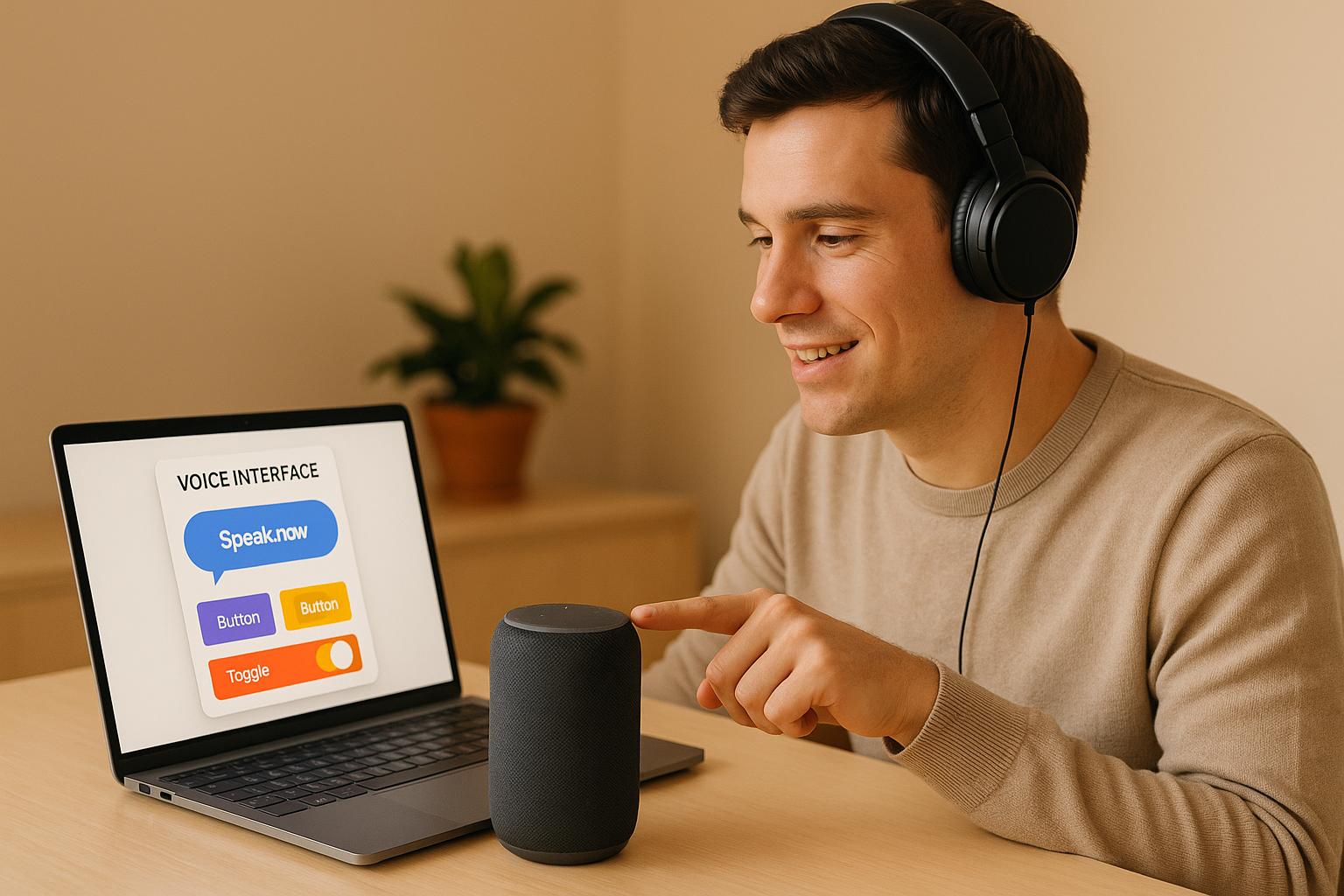
Voice interfaces, like Alexa or Google Assistant, are everywhere. Testing them used to require coding skills, but no-code tools now make it simple for anyone to test voice interactions. Here's what you need to know:
Why test voice interfaces without coding?
No-code platforms save time, cut costs, and let non-developers test voice systems. Teams can quickly validate conversation flows, improve usability, and gather feedback without relying on programmers.What to test in voice interfaces?
Focus on four areas:- Accuracy: Ensure the system understands accents, speeds, and noisy conditions.
- Conversation flow: Check if it handles multi-turn conversations and context changes.
- Error handling: Test how it recovers from misunderstandings.
- Performance: Measure speed and reliability.
Choosing a no-code platform:
Look for tools with drag-and-drop design, AI-driven testing, real-time simulations, analytics, and integration options. For example, tools like Lideroo help teams design, test, and refine voice interactions without any programming.How to test step-by-step:
- Design flows: Map out conversation paths, including "happy paths" and error scenarios.
- Simulate interactions: Test speech recognition, timing, and context retention.
- Gather feedback: Use diverse testers to spot usability issues and refine designs.
Testing voice interfaces is now accessible to everyone, thanks to no-code platforms. Start small, test under various conditions, and use feedback to improve the user experience.
Voice Interface Testing Basics
What Are Voice Interfaces?
Voice interfaces are digital platforms that let users interact through speech instead of traditional clicks or taps. They rely on three key technologies: ASR (Automatic Speech Recognition) to convert spoken words into text, NLP (Natural Language Processing) to understand the meaning behind those words, and TTS (Text-to-Speech) to generate spoken responses.
These systems are behind popular tools like Amazon's Alexa and Google Assistant, as well as voice-controlled car navigation systems and app features on mobile devices. Because they work in real time, voice interfaces need to respond instantly. Even a slight delay of two or three seconds can disrupt the conversational flow and leave users feeling frustrated. Add to that the complexity of human speech - different accents, speeds, and background noise - and it's clear why designing and testing these systems is no small feat.
Grasping these basics highlights why testing must focus on accuracy, smooth conversation flow, and overall reliability.
Main Testing Goals for Voice Interfaces
Testing voice interfaces involves evaluating several critical areas to ensure they deliver a reliable and satisfying experience for users.
Accuracy and recognition are at the heart of any successful voice system. The interface must correctly understand spoken input, even when users speak with accents, at different paces, or in noisy settings. This includes challenging scenarios like mumbled words, technical jargon, or background distractions that could confuse the system.
Conversation flow and context management are equally important. A good voice interface should handle multi-turn conversations naturally, keeping track of context and adapting to topic changes. For instance, if a user asks, "What's the weather like?" and then follows up with, "And tomorrow?", the system should know they're still asking about the weather forecast.
Error handling and recovery focus on how the system deals with misunderstandings or technical glitches. Instead of generic error messages, an effective voice interface offers constructive feedback, like rephrasing suggestions or follow-up questions, to guide users toward a successful interaction.
Finally, performance testing ensures the system meets user expectations for speed and reliability. A voice interface should respond as quickly and consistently as a human conversation, regardless of the scenario. This includes measuring response times and ensuring the system is available and functional across various conditions.
Voice interface testing isn't just about making sure the technology works - it's about ensuring the experience feels seamless and natural for users.
Is This Thing On? How to Test Voice Assistants Remotely
How to Choose No-Code Platforms for Voice Testing
When it comes to evaluating voice interfaces, selecting the right no-code platform can make all the difference. The ideal tool should combine advanced voice technology with an easy-to-use interface, giving non-technical team members the ability to contribute seamlessly.
The no-code development market is growing quickly, with annual growth expected to hit 23% through 2025 [2]. This reflects a clear move away from code-heavy methods toward more agile and accessible solutions.
Key Features to Look for in No-Code Platforms
Visual Development Tools
A good platform should offer visual tools to map out conversation logic and flows [4]. Drag-and-drop interfaces make it easy to design conversation paths, empowering product managers, UX designers, and others to contribute without needing programming skills.
AI-Driven Testing Features
Look for platforms that automatically generate test cases and include advanced natural language understanding (NLU) capabilities, such as intent recognition and entity extraction [1][2][3]. These features help voice interfaces handle the unpredictability of human speech without requiring manual coding.
Simulation and Real-Time Feedback
Real-time testing lets you hear how conversations unfold, helping to catch issues early in development [1][2]. Addressing small problems early prevents them from turning into larger obstacles later on.
Analytics and Performance Tracking
A quality platform will provide detailed analytics to monitor how voice workflows perform, identify bottlenecks, and understand user interaction patterns [1][2]. This data-driven approach ensures improvements are targeted rather than guesswork-based.
Speech Synthesis and Recognition Testing
The platform should allow you to test text-to-speech (TTS) for clarity, naturalness, and emotional tone, as well as automatic speech recognition (ASR) for accuracy. This includes assessing wake word detection, handling background noise, and accommodating different accents [3].
Integration with Existing Tools
The best no-code tools integrate easily with your CI/CD pipelines and other development tools, ensuring a smooth fit with your current workflow [1][2].
How Lideroo Supports Voice Testing
Lideroo stands out as a no-code platform that excels in voice testing support. It simplifies voice interface development by providing tools for creating testing documentation, user guides, and interaction scripts - all powered by AI.
With Lideroo’s drag-and-drop editor and pre-built templates, teams can quickly design systems to collect user feedback. Its AI capabilities streamline the creation of testing scenarios and user interaction scripts, while built-in analytics track engagement with testing documentation to highlight areas for improvement.
Collaboration is another strong point for Lideroo. Features in its Agency plan, like team collaboration tools and role-based access, make it easy for product managers to design testing frameworks, UX designers to map out conversation flows, and developers to access technical specs - all within a no-code environment that requires zero programming knowledge.
sbb-itb-dfa823a
Step-by-Step Guide to Testing Voice Interfaces Without Coding
You don’t need coding skills to test voice interfaces effectively. The process can be broken into three simple phases: designing conversational flows, simulating interactions, and collecting feedback.
1. Design Conversational Flows
Start by mapping out the possible conversation paths to visualize how users will interact with the voice interface. Flow mapping tools are essential here, giving you a clear overview of the entire structure.
Begin with the primary user intents. For each intent, sketch out the ideal "happy path" (when everything works smoothly) and alternative paths (for unexpected responses). Most no-code platforms simplify this with drag-and-drop tools, letting you easily connect conversation nodes.
Plan for common miscommunications. For example, if someone asks, "What’s the weather?" they might also say, "Will it rain today?" or "Is it sunny outside?" Your design should account for these variations in phrasing.
Another key aspect is context switching. Users often jump between topics mid-conversation, so your design must allow for smooth transitions without disrupting the experience. For instance, a user asking about the weather might suddenly ask about traffic. Your flow should handle these shifts seamlessly.
Finally, establish a consistent persona and tone for your voice interface. Will it be formal or casual? Friendly or professional? These choices influence every response and should remain consistent throughout your design.
Once your conversational map is ready, you can move on to testing it in real-time simulations.
2. Simulate and Test Interactions
With your flows mapped out, it’s time to test them using your platform’s simulation tools. Most platforms provide real-time previews for testing voice interactions live.
Start by running scripted scenarios based on your designed flows. Speak naturally and work through each path step-by-step. This helps you identify gaps between your planned conversations and how users might actually interact.
Pay attention to voice recognition accuracy during testing. Try speaking at different speeds, volumes, and even with background noise to see how well the interface performs. Many systems that work perfectly in quiet environments may falter in noisier, real-world conditions.
Focus on response timing to ensure natural interactions. Responses that come too quickly can feel robotic, while long delays create awkward pauses. Most platforms let you tweak these settings, so adjust until the conversations feel smooth and human-like.
Don’t forget to test follow-up questions and topic shifts to ensure the system maintains context. A user should be able to pivot topics without confusing the interface or having to restart the conversation.
Use your platform’s analytics tools to track which paths users take most often and where they drop off. This data will highlight areas that need improvement before moving to the feedback phase.
3. Gather Feedback and Make Changes
User feedback is where you’ll uncover the real-world usability of your voice interface. Start by recruiting a diverse group of testers who reflect your actual audience, including people with different accents, speech patterns, and levels of tech familiarity.
Structure feedback sessions around specific tasks rather than leaving them open-ended. For example, ask testers to “Check store hours” or “Reset a password” and observe how they naturally phrase their requests. Often, users will use language you didn’t anticipate, providing valuable insights.
Record these sessions (with permission) to capture subtle issues you might miss in real time. Many users won’t verbalize their frustrations, but you can spot these moments by reviewing recordings later.
Make sure to consider accessibility during testing. Include users with speech differences, hearing impairments, or motor challenges. Their experiences often reveal critical improvements that can benefit everyone.
Refine your interface iteratively based on feedback. Most no-code platforms make updates easy, allowing you to tweak conversation flows, adjust responses, and fine-tune logic without starting from scratch.
Use analytics tools to measure the impact of your changes. Monitor metrics like task completion rates, average conversation lengths, and user satisfaction scores to see if your updates improve the experience.
Finally, establish ongoing feedback loops with your testers. Voice interfaces should evolve as you learn more about user behavior, so stay connected with engaged users who can provide insights on future updates and features.
Voice Interface Testing Best Practices
Testing voice interfaces effectively means going beyond simple functionality checks. The best results come from testing under real-world conditions, adhering to accessibility standards, and consistently monitoring performance. These practices help create voice interactions that are practical, inclusive, and reliable. Let’s dive into how to test for everyday scenarios, ensure accessibility, and track performance effectively.
Test for Everyday Scenarios
Voice interfaces need to handle the complexities of real human speech. To test this, simulate environments where background noise is common - like a kitchen with clinking dishes, a living room with a TV on, or a space filled with overlapping conversations. Even if the interface works perfectly in silence, these real-life conditions can pose challenges.
It’s also important to test for speech diversity. People speak with different accents, use incomplete sentences, and express varied emotions. Include scenarios with regional dialects, non-native speakers, and generational differences in pronunciation. Real users often change their minds mid-sentence or speak differently when they’re stressed, distracted, or excited. Testing for these variations ensures the interface can handle the unpredictability of everyday interactions.
Make Sure Your Interface Is Accessible
Accessibility is about making sure your interface works for everyone, including those with unique needs. For users with speech differences, like stuttering or other impediments, speech recognition accuracy becomes crucial. Testing should also consider users with hearing impairments or motor challenges.
Offer alternative input methods, such as text or gesture controls, for those who may struggle with voice commands. Timing is another key factor - users with slower processing speeds or speech planning difficulties might require longer pauses between prompts. On the flip side, overly slow responses could frustrate users who process information quickly or have shorter attention spans.
For hearing accessibility, provide visual cues, haptic feedback, or text confirmations to show when commands are received and processed. Adjustable speech rates and volume controls can further improve usability for a diverse audience. Additionally, validate your interface against WCAG guidelines where applicable. While voice interfaces present unique challenges, many web accessibility principles - like timing, error handling, and user control - can be directly applied.
Track Analytics and Performance
Tracking performance metrics is essential for identifying issues and improving the experience. Key metrics to monitor include:
- Response times: Measure average delays, peak response times, and timeouts.
- Recognition accuracy: Break down data by accent, age group, gender, and background noise conditions.
- Conversation completion rates: Pinpoint where users drop off during interactions.
- Error recovery patterns: Evaluate how well the interface handles misunderstandings.
- Session lengths: Analyze engagement and identify potential frustration points.
- Repeat usage statistics: Measure how often users return to the interface.
For example, analyzing session lengths can reveal important insights. Short sessions might indicate user frustration or confusion, while overly long sessions could mean users are struggling to complete simple tasks. On the other hand, repeat usage suggests that users find the interface genuinely helpful and worth returning to.
Conclusion: Simplify Voice Interface Testing with No-Code Tools
Testing voice interfaces doesn't have to be a complicated, developer-only task anymore. With the rise of no-code tools, the process has become more accessible and efficient for everyone involved. These platforms allow teams to test conversational flows quickly, gather meaningful feedback, and refine their designs - all without writing a single line of code.
One of the biggest advantages of no-code testing is how it speeds up feedback loops. When designers, product managers, and even business stakeholders can directly test voice interactions, the feedback becomes faster and more precise. Plus, involving real users in the testing process adds valuable insights that traditional technical testing might overlook.
Take Lideroo's AI-powered platform as an example. It offers drag-and-drop tools that make prototyping and testing conversational flows a breeze. With its AI-driven content generation, you can simulate real-time interactions and refine them effortlessly. This kind of hands-on, intuitive approach simplifies the entire quality assurance process.
Start small - test basic conversational flows under real-world conditions. Use the feedback and performance metrics to make targeted improvements. The goal is to ensure that your voice interface feels natural and intuitive for users in their everyday lives.
Ultimately, the best voice interfaces are built by teams that can adapt quickly, test thoroughly, and focus on creating seamless user experiences. No-code tools empower you to iterate faster, test more frequently, and make data-driven improvements. They open the door for anyone, regardless of technical expertise, to contribute to better, more dynamic voice interactions.
FAQs
How do no-code platforms ensure voice interfaces are accurate and reliable during testing?
No-code platforms make it easier to test voice interfaces with precision and consistency by letting users simulate real-world interactions - no coding required. These platforms leverage AI-powered tools, including natural language processing (NLP), to test conversation flows, user intents, and inputs, ensuring the system reacts accurately and consistently.
They also assess key factors like voice quality, natural language understanding (NLU), and security. By identifying potential issues early, this approach ensures the voice interface functions smoothly across various scenarios, creating a reliable and seamless experience for users.
What challenges can arise when testing voice interfaces, and how can no-code tools help?
Testing voice interfaces comes with its own set of hurdles - like protecting user privacy, handling diverse user inputs, and ensuring smooth usability across a range of devices. Without the right tools, these challenges can become tricky to navigate.
This is where no-code platforms come in. They let you design and execute test cases quickly, all without needing any coding expertise. This not only accelerates the testing process but also helps catch issues early on, ensuring the interface works well across various devices and scenarios. With no-code tools, you can spend less time wrestling with technical complexities and more time fine-tuning the voice interface experience, all while conserving valuable time and resources.
How can team members without coding skills help test voice interfaces using Lideroo?
Non-technical team members can now test voice interfaces effortlessly using Lideroo's no-code platform. With its drag-and-drop tools and pre-built templates, they can design, simulate, and test conversational flows - all without writing a single line of code.
By participating in usability and functionality testing, team members can spot problems, share meaningful feedback, and implement changes swiftly. This intuitive setup allows the entire team to play a hands-on role in refining voice interfaces with ease.