
Choosing a website theme no longer has to be a time-consuming, stressful process. AI-powered tools now make it simple, fast, and tailored to your brand. These tools analyze your logo, colors, fonts, and audience preferences to recommend themes that match your business goals. In just minutes, you can have a polished design that aligns with your brand identity - without needing design skills or spending a fortune.
Key Takeaways:
- Speed: AI can generate a website in minutes.
- Customization: Themes are tailored to your brand's colors, fonts, and messaging.
- Consistency: Ensures your site reflects your identity across all elements.
- Productivity: Saves time by automating design tasks.
- Optimization: AI refines your site based on user behavior after launch.
Platforms like Lideroo take this further by offering tools for SEO-friendly content, real-time updates, and easy customization. While AI makes website creation accessible, it’s important to review and refine the design to ensure it truly represents your brand.
Create a WordPress Website with AI – Beginner Tutorial
How AI-Powered Theme Selection Works
AI-powered theme selection is revolutionizing how businesses approach design, making the process smarter, faster, and more aligned with brand identity. Instead of scrolling through endless templates, AI tools analyze your brand assets and recommend themes that perfectly match your business goals and audience preferences.
How AI Tools Analyze Your Brand
AI tools dive deep into your brand's DNA to understand its essence. One of the first steps is color psychology analysis. By examining your current brand colors, AI determines how they can shape your website’s visual hierarchy to evoke the right emotions and align with your brand’s objectives [2].
Another critical step is logo analysis. AI evaluates your logo's typography, shapes, and design elements to ensure it complements your industry standards and audience expectations. This analysis helps the system recommend themes that enhance your logo's impact and strengthen your overall brand identity [2].
Beyond visuals, AI takes into account your brand voice, tone, and messaging. It identifies your target audience’s demographics and psychographics, ensuring that the recommended themes resonate with the people you want to reach. This comprehensive approach ensures every design element works cohesively to represent your brand.
The numbers back up this strategy. Around 75% of companies now use data analytics in their design processes, leading to a 25% boost in brand recognition and a 15% increase in revenue [2]. As Chris Do, a respected design expert, puts it:
"Data-driven design is not just about following trends, but about creating a deep understanding of your audience and crafting a visual identity that resonates with them." [2]
This thorough analysis sets the stage for AI's transformative impact on theme selection.
Main Benefits of AI Theme Selection
The perks of AI-powered theme selection go far beyond saving time. One standout feature is precision targeting. AI can analyze user behavior and tailor your website’s design and content to fit each visitor's preferences [1]. This level of personalization brings a new standard of customization.
AI also enhances your brand’s ability to create an emotional connection with its audience. For example, AI-driven logo designs can increase brand recognition by up to 30% and customer engagement by 25% [2]. When these emotional ties are nurtured, customer loyalty can grow by as much as 60% [2], making AI a game-changer for long-term growth.
Another major advantage is improved productivity. Teams using AI report an 80% increase in efficiency [4], freeing up time to focus on strategy instead of design details. And despite this speed, AI ensures consistency across all design elements, adapting seamlessly to different contexts without sacrificing quality.
AI also shines in real-time optimization. It continuously tracks user behavior and refines your theme to meet evolving needs, ensuring your site stays dynamic and relevant rather than static and outdated.
Platforms like Lideroo demonstrate the full potential of these benefits by integrating AI into every phase of theme design.
How Lideroo Uses AI for Theme Selection
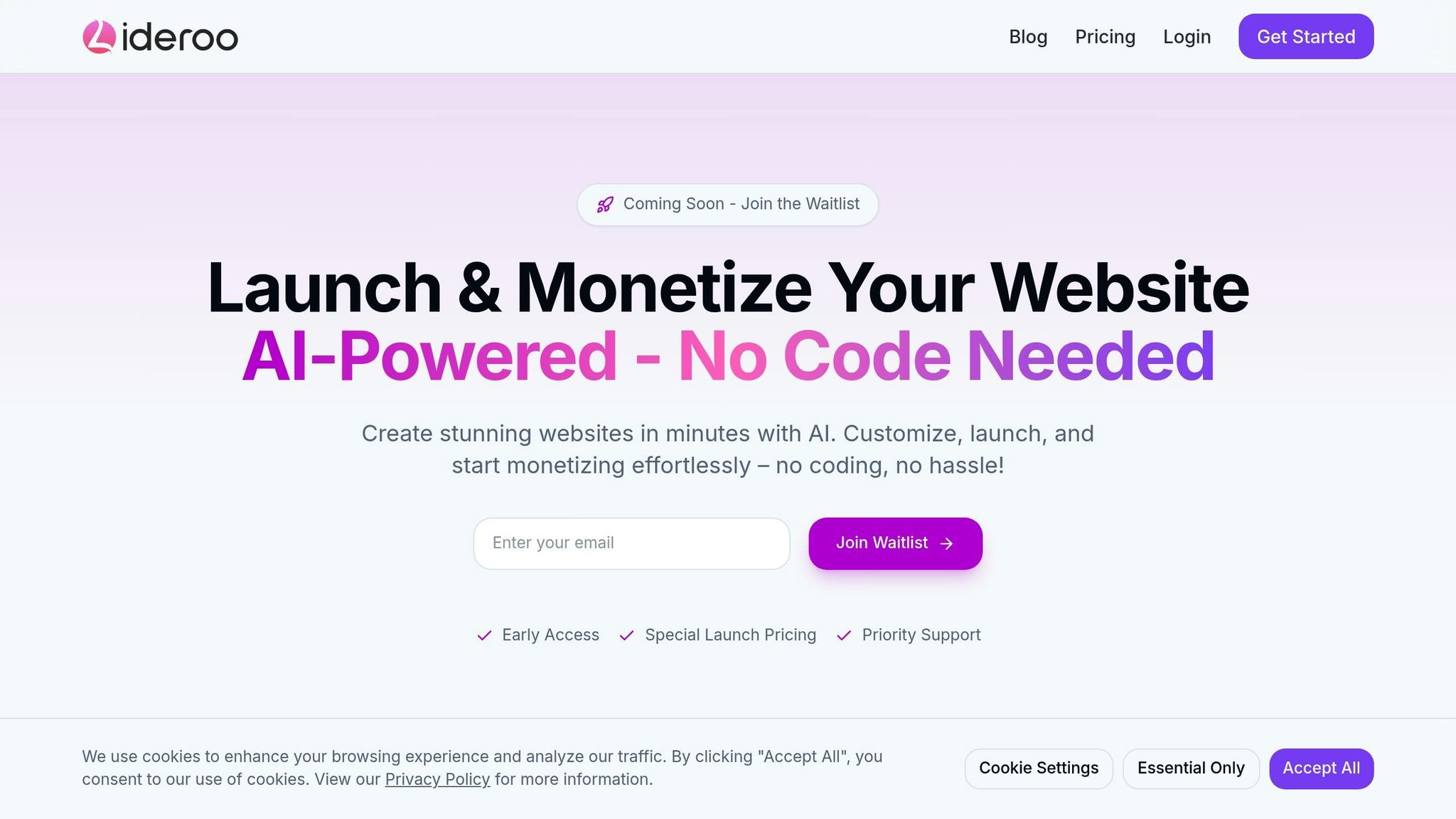
Lideroo takes AI-powered theme selection to the next level, offering businesses a seamless way to create custom website designs. Its AI analyzes your brand assets and business goals to recommend themes from its premium library that align with your unique needs.
The process begins when you upload your brand materials - logos, color schemes, and content samples. Using advanced algorithms, Lideroo’s AI reviews these assets to understand your brand’s essence. What sets Lideroo apart is its smart customization. The AI doesn’t just suggest a theme; it adjusts layouts, fonts, and visual elements to reflect your brand’s personality, ensuring a polished, professional look.
Lideroo’s AI also tackles content optimization. It generates SEO-friendly copy tailored to your brand voice and target keywords. The platform creates meta tags, XML sitemaps, and schema markup, ensuring your site is search-engine ready from day one.
What’s more, Lideroo’s adaptive approach keeps your website evolving. After launch, the AI monitors user interactions and suggests updates to improve engagement and conversions. This means your theme isn’t a one-and-done decision - it’s part of a continuous improvement process that grows with your business.
Preparing Your Brand Materials for AI
To get the best results from AI-powered theme selection, start by preparing your brand materials thoroughly. The quality of these materials plays a big role in how well the AI understands your business and suggests themes that truly reflect your identity.
Brand Materials You Should Gather
Begin by assembling the key elements that define your brand:
- Logo Files: Provide clear, high-resolution versions of your logo. These act as the cornerstone of your brand identity.
- Color Palettes: List the hex codes for your primary, secondary, and tertiary brand colors.
- Typography: Include details of your primary and secondary fonts, along with their styles (e.g., serif or sans-serif).
- Messaging Guidelines: Gather your taglines, value propositions, and other key messages.
- Visual Style References: Collect examples of imagery, illustrations, or design elements that capture the look and feel you aim to achieve.
Aligning Themes with Your Brand Identity
Once your brand materials are ready, the next step is to pair them with a website theme that reflects your identity. These materials don’t just define your visual style - they also help the AI suggest themes that resonate with your audience.
A big part of this process is creating an emotional connection. AI tools analyze your brand's elements to recommend color schemes and design features that evoke the right feelings in your audience. For example, the AI might suggest a calming color palette for a wellness brand or bold tones for a tech company. [6]
Another factor is industry relevance. AI can study competitor websites to identify trends within your field, ensuring your brand aligns with industry standards while still standing out. [3] By combining your materials with these insights, AI-driven tools can create elements that harmonize with your logo and overall design style. [6]
That said, the human touch remains essential. As one branding expert explains:
"Good brands must be human in the way they sound, act, write, and interact with the world. So think of AI tools as a collaborator or an assistant, not the whole solution for your voice and point of view." [5]
Clear communication is also key when working with AI:
"AI thrives on prompts that clearly define what you need, so coming up with the right requests for what you want to accomplish can unlock the full potential of a tool to support you." [5]
Step-by-Step Guide: Using AI to Pick and Customize Your Theme
Lideroo's AI theme selection tool combines automation with your creative input to transform your brand elements into a seamless website design.
Starting the AI Theme Selection Tool
Getting started with Lideroo's AI theme selection is straightforward. After setting up your account, launch the AI builder and upload your logo, color hex codes, and any visual references you have. You'll also need to provide details about your business, target audience, and website goals. The more specific and high-quality your inputs, the better the AI's suggestions will be.
Once the AI generates its suggestions, take time to evaluate the themes to ensure they align with your brand identity.
Reviewing AI Theme Suggestions
After analyzing your brand information, the AI will present several tailored theme options. These suggestions will incorporate your brand colors, complement your logo, and reflect the style preferences you’ve shared. Pay close attention to every detail - colors, typography, and layout - ensuring they reinforce your brand identity and evoke the right emotional response.
Take the Belfast Bakery as an example. By systematically integrating their brand elements into the AI-generated theme, they saw impressive results: a 43% increase in average time spent on their site, a 67% boost in returning visitors, and more bookings for their bread-making workshops [7]. Following a similar methodical approach can help you select a theme that not only fits your brand but also enhances user engagement and supports your business goals.
Once you've chosen a theme, use Lideroo's customization tools to fine-tune it further.
Customizing Your Chosen Theme
With the AI's tailored suggestions as your starting point, you can now refine the design to bring your vision to life. Lideroo's drag-and-drop editor makes visual adjustments simple, while its AI-powered smart content generation can help populate your site with relevant text [8].
Start with the basics. Double-check that your brand colors, fonts, and layout align with your branding guidelines and create a smooth user journey [7]. For content, review any AI-generated placeholder text to ensure it matches your brand voice. Replace generic imagery with branded visuals, like product photos or team pictures, and refine the text to better reflect your brand’s personality [7].
Tackle customization in steps: adjust colors first, then fonts, followed by layout, and finally, content. This structured approach ensures design consistency across your site. While Lideroo’s pre-built templates provide a strong starting point, the magic happens when you infuse your unique brand elements into the design [8]. The ultimate goal is to create a website that not only showcases your brand but also embodies its personality and values at every touchpoint.
sbb-itb-dfa823a
Testing and Improving Your AI-Selected Theme
After customizing your theme, it's crucial to test it thoroughly to catch any issues before your audience interacts with it. Below, we’ll explore key areas to evaluate, how AI can assist in making improvements, and the importance of comprehensive testing before launch.
What to Check When Evaluating Themes
When evaluating your theme, focus on four main areas that shape user experience: visual consistency, readability and accessibility, navigation and usability, and mobile compatibility [9]. Consistency is key - ensure branding elements like your logo, colors, and typography remain uniform across all pages.
Readability and accessibility are essential for making your content easy to consume. Use font sizes and line spacing that enhance clarity, and ensure strong color contrast for users with visual impairments. Adding balanced whitespace can reduce clutter and guide the reader’s eye effectively [9].
Navigation and usability focus on how intuitively users can move through your site. Test every menu, button, and interactive feature to ensure they work as intended. Check that forms, calls-to-action, and navigation elements operate seamlessly [11].
Mobile compatibility is non-negotiable, given that over half of all web traffic comes from mobile devices [11]. Your theme should adapt flawlessly to various screen sizes and orientations while maintaining functionality and visual appeal.
Always prioritize what resonates with your audience over personal preferences. The design should reflect their needs and guide them toward meaningful actions that align with your business goals [9].
Making Improvements with AI Help
AI tools, like those offered by Lideroo, analyze user behavior to highlight design issues and suggest actionable improvements [10].
- Sentiment analysis helps you gauge how users feel about your site. If users express frustration with navigation or confusion about a layout, AI can pinpoint specific areas for improvement.
- Pattern recognition uncovers trends in user behavior. For instance, if visitors frequently skip certain sections or struggle to find key information, AI insights can guide layout adjustments or content repositioning.
- Predictive analytics allows you to simulate potential changes before implementing them. By forecasting outcomes, you can make data-driven decisions that enhance user engagement. Businesses using predictive analytics have reported noticeable boosts in performance metrics [10].
After making AI-driven updates, validate your changes through rigorous testing to ensure everything works seamlessly.
Testing Before You Publish
Pre-launch testing is your safety net, helping you avoid costly mistakes that could alienate visitors. For example, nearly 40% of users will leave a website if it takes longer than three seconds to load, and 38% will disengage if the design feels unattractive [11].
Use tools like Google’s PageSpeed Insights to evaluate loading speeds and Core Web Vitals. Aim for a load time of around two seconds to keep users engaged [13].
- Cross-browser and device testing ensures your theme functions consistently across platforms. Test on major browsers like Chrome, Safari, Firefox, and Edge, as well as on a range of mobile devices and tablets. Lideroo’s preview tools can simplify this process by showing how your site appears in different environments.
- Functionality testing involves checking every interactive element. Click every button, fill out all forms, and navigate through each user path. Ensure features like checkout, contact forms, and links perform without glitches.
- Security testing protects your site and user data. Verify that forms handle sensitive information securely, address potential vulnerabilities, and ensure your theme complies with WordPress security best practices [12].
Create a detailed checklist covering fonts, colors, layout, and interactions. Use Lideroo’s staging environment to identify and resolve issues before going live [11]. A streamlined design will help users focus on your brand rather than getting distracted by the site itself [9].
Pros and Cons of AI-Powered Theme Selection
AI-powered theme selection has reshaped how small business owners and entrepreneurs approach website design. While the technology offers exciting possibilities, it's important to weigh its advantages against its limitations. By understanding these trade-offs, you can decide whether AI tools align with your business goals and design needs.
Benefits of AI Theme Selection
AI has drastically shortened the time it takes to create a professional website. Instead of waiting weeks, business owners can have a custom site ready in mere minutes [20]. This speed allows entrepreneurs to focus on growing their business rather than getting bogged down in technical details.
Another major plus is accessibility. AI tools make professional design available to everyone, regardless of coding skills or design experience [14]. Routine tasks are automated, freeing up teams to focus on bigger-picture strategies.
Cost efficiency is a game-changer for small businesses on tight budgets. AI-powered platforms operate with 85–90% efficiency compared to the 60–70% efficiency of traditional methods [22]. This means lower operational costs and higher productivity, with businesses reporting a 40% boost in their efficiency when using AI [21].
AI also levels the playing field, giving small businesses access to web design tools that were once reserved for large enterprises [14]. Features like responsive design, fast loading speeds, built-in SEO tools, and integrated analytics improve user experience and provide real-time insights [14].
Another standout benefit is data-driven decision-making. AI analyzes user behavior, helping businesses refine their websites to better meet customer needs. For instance, 75% of small and medium businesses are exploring AI, and 86% of those using it report improved profit margins [15].
Drawbacks and Challenges
Despite its advantages, AI theme selection has its challenges. One of the biggest concerns is generic design. AI-generated websites often follow templates, which can result in sites that lack unique branding [16][17]. Businesses with specific branding or complex functionality needs may find AI's customization options too limited [16][18].
Another issue is platform dependency. Many AI tools lock users into a specific ecosystem, making it harder to switch platforms or adapt to future needs [19]. Automated processes can also lead to inconsistent quality, sometimes overlooking important design principles and resulting in less-than-ideal user experiences [16].
AI tools may also struggle to account for the nuances of cultural context, aesthetic preferences, and emotional engagement that human designers naturally bring [17]. Security concerns are another drawback, as these tools often require access to sensitive data. Additionally, SEO features may not always meet the depth required for robust search engine optimization [16][17].
Comparison Table: Benefits vs. Drawbacks
Here’s a quick overview of how the benefits and drawbacks stack up:
| Benefits | Drawbacks |
|---|---|
| Speed: Websites ready in minutes or hours [20] | Generic designs: Risk of cookie-cutter websites [19] |
| Cost efficiency: 85–90% efficiency vs. traditional 60–70% [22] | Limited customization: Struggles with unique branding needs [18] |
| Accessibility: No coding skills required [14] | Quality inconsistencies: Automated processes may miss key design elements [16] |
| Built-in features: SEO tools and analytics included [14] | Platform dependency: Locked into specific ecosystems [19] |
| Productivity boost: 40% increase in efficiency [21] | Complex functionality: Challenges with advanced features [18] |
| Competitive edge: Allows small businesses to compete with larger firms [14] | Security concerns: Requires access to sensitive data [17] |
Conclusion: Simplifying Website Design with AI
AI has reshaped the way we approach website design, turning what used to take weeks of meticulous planning and technical know-how into a process that can be completed in mere minutes. This evolution has made professional web design more accessible than ever.
Platforms like Lideroo showcase this shift in action. With its AI-powered tools, Lideroo analyzes your brand materials to suggest themes that align perfectly with your business identity. Its drag-and-drop editor eliminates the need for technical skills, while AI-generated content ensures your site is filled with engaging, brand-consistent text right from the start. Plus, built-in SEO tools help your website rank well in search results from day one. These features position Lideroo as an all-in-one solution for modern website design.
Of course, AI-driven theme selection still has its hurdles. But as algorithms continue to improve, these challenges are becoming less significant. Platforms like Lideroo are constantly enhancing their technology to deliver even more tailored and advanced results.
FAQs
How does AI help create a website theme that matches my brand identity?
AI takes the guesswork out of aligning your website theme with your brand identity. By analyzing your branding elements, preferences, and target audience, it uses machine learning to suggest designs, color schemes, and layouts that truly reflect your style and values.
From visuals to content, AI allows for personalized customization that goes far beyond standard templates. The result? A polished, cohesive website that not only looks professional but also connects with your audience and communicates your brand message clearly.
How can I prepare my brand assets before using AI to select a website theme?
Before diving into AI tools for theme selection, ensure your brand assets are fully prepped. This includes your logo, color palette, typography, and brand messaging. These elements should clearly showcase your brand's identity and connect with your audience.
Once everything's in place, leverage AI tools to effortlessly weave these assets into your selected website theme. This will help create a cohesive and professional appearance throughout your site.
How does AI keep my website updated and engaging over time?
AI helps keep your website fresh and engaging by keeping a close eye on user behavior, search trends, and overall site performance. It can automatically tweak meta tags, keywords, and content to match the latest trends, boosting your site's visibility on search engines. On top of that, AI tools dig into performance metrics to make real-time adjustments, improving the user experience and ensuring your site stays in top shape.