
Want to build a website in hours, not weeks? AI-powered tools and templates make it easy, fast, and affordable - even if you don’t know how to code. Here’s what you need to know:
- Save Time: AI reduces website development time by up to 50%.
- Lower Costs: Plans start as low as $10–$17/month, bundling hosting, design, and SEO tools.
- No Coding Needed: Drag-and-drop editors and AI handle the technical work for you.
- Mobile-Ready: 62% of traffic comes from mobile; AI ensures your site looks great on any device.
- Content Creation Simplified: AI can write text, pick images, and optimize for SEO automatically.
With platforms like Lideroo, you can choose a template, customize it to match your brand, and use AI to generate content - all in one place. Whether you’re a small business owner or a content creator, this approach eliminates the usual hurdles of time, cost, and expertise. Ready to get started? Let’s dive in.
How AI-Powered No-Code Website Building Works
What Are AI-Powered No-Code Platforms?
AI-powered no-code platforms are tools that let you create professional websites without writing a single line of code. These platforms combine user-friendly drag-and-drop interfaces with artificial intelligence to handle the technical heavy lifting for you [5].
Think of it as upgrading from a basic text editor to a smart word processor. You outline your vision, arrange elements visually, and let AI take care of coding, performance optimization, and ensuring your site works seamlessly across different devices.
What sets these AI-driven platforms apart from traditional website builders is the level of automation. While older tools require you to manually tweak countless settings, AI-powered platforms streamline the process, drastically cutting down development time. A prime example is Lideroo, which uses AI to enhance its drag-and-drop interface. It not only helps you design but also generates content, suggests design improvements, and optimizes your site for search engines - all in one place.
Main Benefits of AI and Templates
These platforms aren’t just about convenience; they bring some major benefits to the table. The combination of AI automation and pre-designed templates is revolutionizing how websites are built. With 83% of businesses now prioritizing AI as part of their strategy [6], it’s clear that this technology is more than just a trend.
1. Speed and Efficiency
AI significantly accelerates web development. It can generate code, optimize it, and even complete entire sections of your website automatically [1]. Instead of spending weeks learning HTML, CSS, or JavaScript, you can focus on creating great content while the AI handles the technical details.
2. Lower Costs
Building a website the traditional way often means hiring developers, designers, and SEO specialists, which can get expensive. AI-powered platforms bundle all these capabilities into affordable monthly plans, making professional-grade web design accessible to a much broader audience.
3. Automated Optimization
AI ensures your website performs at its best. From creating search-friendly title tags and meta descriptions [4] to generating structured data for search engines, these platforms handle essential tasks automatically. They can also design layouts tailored to your needs and include accessibility features like alt-text generation and screen reader compatibility [1].
4. Content Creation Made Easy
These platforms go beyond just building websites - they help you fill them with content. AI can write text, design logos, create visual assets, and even translate your content into multiple languages [1]. This means you can launch a fully functional, content-rich website in just hours instead of weeks.
AI-powered no-code platforms are opening the door for anyone - regardless of technical expertise - to build high-quality websites. With 28% of businesses already using AI in their operations and 45% planning to adopt it soon [7], the shift toward AI-driven website building is only gaining momentum.
How To Build a Website with AI
Planning Your Content Website Before You Start
Creating a content website isn’t as simple as picking a template and adding text. With about 72% of new websites failing, careful planning can make all the difference in setting your site apart from the rest.
Think of it like designing a house: every detail matters. The decisions you make during this stage will shape your website’s design and determine how well it meets your goals.
Define Your Website Goals and Target Users
Before diving into the design process, take the time to clarify your website's purpose and who it’s meant to serve.
Setting Clear Website Goals
Start by identifying the specific actions you want visitors to take on your site. Skip vague goals like "get more traffic" and focus on measurable objectives that align with your business needs. For example, instead of saying, "I want more email subscribers", aim for something like, "I want to increase email signups by 25% within three months by offering a free downloadable guide." Begin with one primary goal and back it up with three secondary objectives. If your main goal is lead generation, secondary goals might include boosting time spent on your site, increasing social media engagement, and improving search engine visibility.
Understanding Your Target Audience
Your audience impacts everything - from your website’s color palette to its layout and content strategy. Develop detailed buyer personas to go beyond surface-level demographics. Dive into their pain points, preferences, and online behavior. Use tools like Google Analytics, run surveys, and monitor social media discussions to gather insights. These details will help you craft content and design elements that resonate with your audience.
Matching Content to User Needs
Once your goals and audience are clear, plan your content to align with both. Every piece of content should reinforce your objectives while offering value to visitors. This thoughtful approach will help guide users toward desired actions naturally, without being overly aggressive. Plus, this clarity will simplify template customization and streamline the use of AI tools later on.
Plan Your Website Structure and Menus
Your website’s structure serves as a roadmap, guiding visitors to where they need to go. Poor navigation is a major turnoff - 34% of users leave a site because they can’t find what they’re looking for.
Creating Intuitive Navigation
Keep your main navigation simple, limiting it to no more than seven links. Research shows that users focus most on the first and last items in a menu, so place your most important pages in those spots. Use clear, straightforward labels - call your blog section "Blog" instead of using confusing or overly creative names.
Organizing Your Site Structure
Develop a sitemap to outline the flow of your website. Decide which pages to include and how they connect. Think about the user journey: where should they go after completing an action? For example, a cooking site might organize its structure from broad categories like "Recipes" to more specific ones such as "Quick Dinners" or "Desserts", and then down to individual recipe pages. A well-thought-out structure not only improves navigation but also helps AI tools work more efficiently.
Mobile-First Planning
With over 55% of internet users browsing on mobile devices [8], your website must be mobile-friendly. Ensure your menu adapts seamlessly to smaller screens, and make sure key links remain easy to access.
Collect Your Content and Design Materials
Gathering your content and design materials in advance will save time and maintain consistency. Don’t start designing until you’ve outlined the essential information for your landing pages.
Content Preparation Checklist
Map out your content based on your website goals. For each page, define the main message, the action you want visitors to take, and the supporting information they’ll need. Collect all necessary written content. If you’re planning to use AI for content creation (we’ll get to that later), at least draft the topics and key points you want to address.
Visual Assets and Branding Materials
Pull together all your visual assets, such as your logo, brand colors, fonts, and images. Create a simple brand style guide that includes hex codes for colors, preferred fonts, and logo usage rules. Pay attention to technical details too - compress images to improve load times and prepare versions optimized for various screen sizes.
Content Calendar and Strategy
Plan your content strategy for the months ahead. Outline your goals and themes, and decide on a consistent publishing schedule - whether that’s daily, weekly, or monthly. While planning might seem tedious, it’s an investment that builds trust with your audience, improves your search rankings, and turns visitors into loyal customers or subscribers.
Once your goals are set and your resources are organized, you’ll be ready to bring your vision to life using AI-powered tools.
Building Your Website with Lideroo
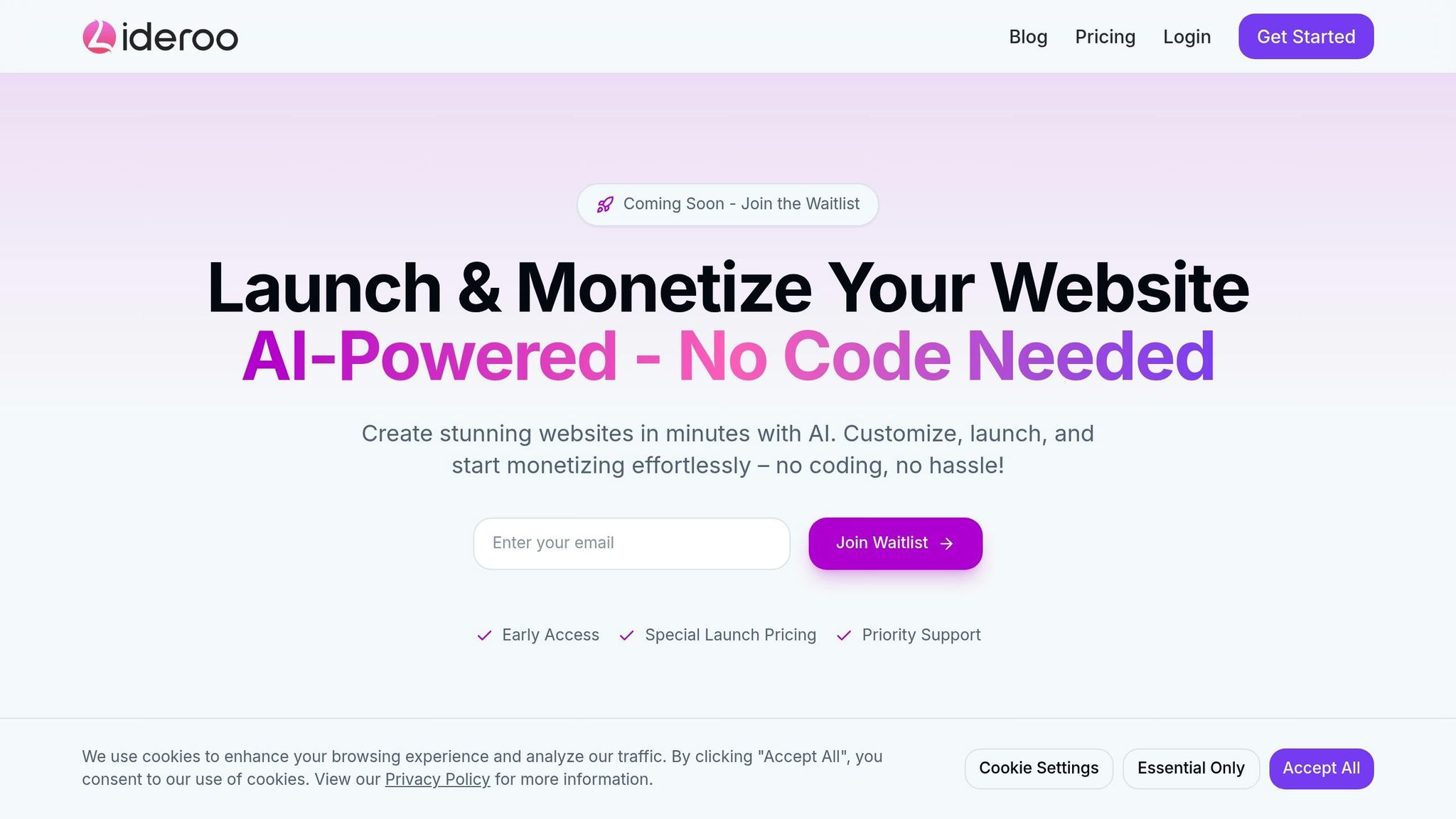
Once you've laid the groundwork for your website, Lideroo makes the actual building process refreshingly simple. Thanks to its AI-powered platform, what used to be a daunting task is now an accessible, user-friendly experience.
Using Lideroo's Drag-and-Drop Editor
Lideroo's drag-and-drop editor allows you to design your site without ever touching a line of code. When you open the editor, you'll see your chosen template displayed in the workspace. On the left, there's a sidebar packed with elements like text blocks, images, buttons, forms, and specialized content modules. Simply drag these elements onto your page to start building. The real-time preview feature lets you see your changes instantly, making it easier to tweak and perfect your design.
Strategically position key elements - like your value proposition, featured content, or call-to-action buttons - so they stand out. Use plenty of white space to keep your layout clean and visually appealing. You can adjust the spacing between elements by dragging them closer together or farther apart, ensuring a balanced, easy-to-navigate design. While the editor automatically optimizes your site for mobile devices, it's always a good idea to use the device preview tool to double-check how everything looks on tablets and smartphones.
Choosing and Customizing Templates
Templates are the backbone of your website, offering pre-designed layouts tailored to different purposes. Whether you're building a blog, an online store, or a directory site, Lideroo's templates are designed to meet your needs. Each template comes with pre-built sections that you can modify or remove as needed.
Once you've selected a template, you can make it your own. Upload your logo, tweak the color scheme, and adjust fonts and layouts to align with your brand. Ensure your site's navigation is clear by using simple labels and adding a search bar to help visitors find what they need quickly. Since all templates are mobile-ready, use the device preview option to confirm that your navigation works seamlessly across all screen sizes.
Using AI to Create Content
After finalizing your design, it's time to fill your site with content - and this is where Lideroo's AI tools shine. The platform's AI can quickly create a variety of written and visual content tailored to your specifications. It can generate blog posts, product descriptions, and marketing materials by analyzing data, suggesting ideas, and optimizing for search engines.
"Generative AI is a type of artificial intelligence that creates new data, like images or text, by learning from existing data. It effectively visualizes and generates content to match what you describe and helps you create, explore, and push boundaries, opening fresh avenues for imagination, experimentation, and bringing ideas to life." [9]
But it doesn't stop at text. Lideroo's AI can also produce digital assets like social media posts, email campaigns, landing pages, and even custom illustrations. While this speeds up content creation, it's essential to maintain quality. Set clear brand guidelines and establish checkpoints to ensure all AI-generated content aligns with your voice and messaging. Additionally, regularly review performance metrics to refine your AI prompts and improve future results.
With its drag-and-drop editor, customizable templates, and AI-driven content creation, Lideroo provides everything you need to build a professional website quickly and efficiently. These tools break down traditional barriers, giving you the freedom to create a site that reflects your unique brand and vision.
sbb-itb-dfa823a
Setting Up User Engagement and Revenue Features
Once your site is well-designed and tailored to your audience, the next step is to focus on keeping visitors engaged and generating revenue. Lideroo offers tools to simplify both user experience and monetization.
Customizing Design and Branding
Your website's design does more than just look good - it builds trust and keeps users interested. Lideroo's tools make it easy to create a cohesive visual identity that resonates with your audience.
Start by uploading your logo and using Lideroo's color picker to establish a consistent color scheme. The platform suggests complementary shades and ensures good contrast for readability across headers, buttons, and links. For typography, stick to one serif font for headings and one sans-serif font for body text to maintain a polished and consistent look. With Google Fonts integration, you’ll have hundreds of web-optimized typefaces to choose from.
Effective design isn’t just about fonts and colors - it’s also about structure. Lideroo’s spacing controls help you create a visual hierarchy, ensuring your content is easy to scan. Add breathing room between sections and use consistent button styles for calls-to-action to guide users seamlessly through your site. Thanks to its responsive design tools, Lideroo automatically adjusts your site’s layout for different screen sizes. You can even tweak spacing and sizing specifically for mobile users to ensure everything looks and works perfectly.
For a more personalized touch, consider adding features that adapt to individual user preferences. Using AI, you can tailor content recommendations, adjust homepage layouts, or highlight products based on browsing habits. These small tweaks can make a big difference in keeping visitors engaged.
A well-designed, user-friendly site naturally encourages visitors to explore your monetization options.
Adding Ways to Make Money
Turning your website into a source of income requires thoughtful planning and the right tools. Lideroo offers built-in monetization features that integrate seamlessly with your site.
One popular approach is using premium content and paywalls. Lideroo’s paywall system lets you offer free previews while reserving full access for paid subscribers. You can even create tiered subscriptions - for example, basic plans might include articles, while higher tiers unlock videos and downloads.
Subscription models work especially well for sites that publish content regularly. Lideroo allows you to set up monthly or annual billing, encouraging users to commit for longer periods. Its payment processing system handles recurring payments, subscription renewals, and even failed transactions automatically, so you don’t have to worry about the logistics.
Affiliate marketing is another effective revenue stream. By recommending products or services within your content, you can earn commissions without asking your audience to pay upfront. Lideroo’s link management tools make it easy to track clicks and conversions. Just remember to recommend products you genuinely trust and be transparent about your affiliate relationships to maintain credibility with your audience.
For websites that provide free educational resources or serve a community purpose, adding donation options can be a great way to generate support. Simplify the process with single-click donation buttons, as they tend to perform better than lengthy forms. Lideroo’s donation tools can handle both one-time contributions and recurring monthly support.
To ensure your monetization strategies are working, use analytics to track performance and make adjustments as needed.
Using Analytics and SEO Tools
Analytics and SEO tools are essential for fine-tuning your site’s design, content, and monetization strategies. Lideroo provides a suite of built-in tools to help you understand user behavior and improve search engine visibility.
Start by analyzing performance metrics to see what’s working. Track page views, time spent on site, and bounce rates to identify your most engaging content. The analytics dashboard also shows user flow patterns, helping you understand how visitors navigate your site and where they might lose interest. Use this data to refine your content strategy and improve the overall user experience.
SEO plays a critical role in driving organic traffic. Lideroo simplifies the process by automatically generating XML sitemaps and adding schema markup to help search engines understand your content. Its SEO tools also provide actionable recommendations for improving title tags, meta descriptions, and header structures.
When optimizing for keywords, focus on aligning your content with user intent rather than cramming in as many keywords as possible. Lideroo’s content analysis tools help ensure your articles answer user questions thoroughly while keeping the language natural and engaging.
Page speed is another key factor for both SEO and user experience. Lideroo’s AI can compress images and streamline code to improve loading times, ensuring your site runs smoothly.
To stay ahead of the competition, use Lideroo’s competitor analysis tools. These tools highlight content gaps and reveal which keywords your competitors rank for, giving you opportunities to create better, more comprehensive content on similar topics.
Setting Up Your Website for US Users
Designing a website that feels familiar and intuitive to American users means paying close attention to formatting and cultural preferences. These small details can significantly impact trust and engagement. When visitors encounter familiar date formats, currency symbols, and language patterns, they’re more likely to stick around and take action - whether that’s making a purchase, signing up, or exploring your content. Here’s how to align your site with US standards.
Configuring US Date, Currency, and Number Formats
To meet the expectations of American users, it’s crucial to stick to formatting conventions that feel natural to them. These standards might seem minor, but they help eliminate confusion and make your site look polished and professional.
Dates: Use the MM/DD/YYYY format that Americans are accustomed to. For example, display a date as "06/14/2025" rather than "14/06/2025" [11]. Similarly, use a 12-hour clock with AM/PM instead of a 24-hour format. Many platforms, like Lideroo, simplify this process by letting you set the region to the United States, which automatically applies these settings.
Currency: Always place the dollar sign ($) before the amount. For example, show prices as $19.99 or \(1,250.00 - not 19.99\) or USD 19.99 [10]. If your platform supports it, like Lideroo’s monetization tools, selecting USD as the primary currency ensures consistent formatting across all pricing elements.
Numbers: Stick to American conventions by using commas as thousand separators and periods for decimals. For instance, display large numbers as 1,234,567.89 rather than 1.234.567,89 or 1 234 567.89 [12]. Again, platforms like Lideroo handle these adjustments automatically when you set the target region to the United States. If you’re working with dynamic content from external sources, custom code injection may be needed for advanced formatting.
When creating content with an AI writing tool, ensure it’s set to "US formatting" to maintain consistency in dates, numbers, and measurements. Once formatting is nailed down, focus on language and cultural nuances to further connect with your American audience.
Using US English and Cultural References
How you use language can make or break the connection with your audience. Beyond grammar and spelling, small linguistic and cultural choices can signal authenticity and relevance to US users.
Spelling: Stick to American spellings, such as "color" instead of "colour", "organize" rather than "organise", and "center" instead of "centre." If you’re using tools like Lideroo’s AI content generator, set the language to en-US for automatic adherence to these conventions. Still, it’s worth proofreading to ensure consistency.
Measurement Units: Use the units Americans are familiar with. This means Fahrenheit for temperature, miles for distance, pounds for weight, and gallons or fluid ounces for volume.
Cultural References: Include examples and scenarios that resonate with American life. For business topics, refer to US companies, regulations, or market trends. For lifestyle content, mention US-specific holidays, seasons, and traditions. For instance, phrases like "back-to-school season in August" or "tax season preparation in early spring" feel relevant and relatable.
Time Zones: If your content involves events or deadlines, always specify time zones like EST, PST, CST, or MST. Keep in mind that your audience may span multiple zones, so clarity here is essential.
Lastly, consider accessibility. The Americans with Disabilities Act (ADA) has set clear expectations for web design, making accessibility not just a legal obligation but also a key factor in user experience. With about 25% of US adults living with a disability [13], your site should include features like clear headings, alt text for images, and sufficient color contrast.
Pairing these adjustments with direct, action-oriented language - such as "Get Started Now" or "Sign Up Today" - helps create a seamless experience that resonates with US users. By addressing both practical formatting and cultural preferences, you’ll make your website feel like it was built specifically for them.
Pros and Cons of AI and Templates
Once you've planned and started building your website, it's crucial to weigh the upsides and challenges of using AI tools and templates.
AI tools are game-changers when it comes to saving time and cutting costs. They can slash development time by up to 50% and are far more budget-friendly compared to traditional design methods [3]. Looking at the bigger picture, industry projections are staggering: Fortune Business Insights estimates the AI industry will hit $266 billion by 2027, with 80% of retail businesses expected to adopt AI within the next three years [14].
Another major advantage? AI makes professional web design accessible to more people. You no longer need to be a tech expert to create a functional, visually appealing website.
That said, there are some notable drawbacks. AI-driven builders often come with limited customization options, which can lead to generic designs that fail to capture the unique essence of your brand [15]. They also tend to struggle with complex features, which can restrict your site's flexibility as your business grows [15].
Additionally, AI-generated websites can sometimes include errors or inconsistencies, which might hurt the user experience [15]. Unlike human designers who can infuse creativity and emotional intelligence into their work, AI relies on pre-existing patterns, which can make designs feel repetitive [16].
Another concern is over-reliance on AI. If the system fails or behaves unpredictably, you could find yourself with limited control over your website [15][16].
Benefits vs Drawbacks Comparison
| Aspect | AI & Templates | Traditional Design |
|---|---|---|
| Speed | 50% faster completion | Standard timeline |
| Accessibility | No technical skills required | Coding knowledge needed |
| Design Flexibility | Limited customization options | Unlimited creative control |
| Brand Uniqueness | Pattern-based, potentially generic | Unique, tailored solutions |
| Quality Control | Variable, potential inconsistencies | Professional oversight |
| Platform Independence | Dependent on builder features | Full technical control |
These comparisons make it clear that while AI tools can be incredibly helpful, they work best alongside human input to ensure a polished, customized result.
Dafna Rabin from Wix's Templates design team offers this advice:
Once you pick the right layout or template for you, it's really important to take the time to customize all the content. Many people overlook this step. Make sure you remove any unrelated images or paragraphs, and focus on creating a clear flow for the content that tells the story you want to share with your audience [2].
Experts recommend using AI for repetitive tasks while leaving innovation, storytelling, and brand alignment to human oversight. For beginners, the speed and cost savings of AI tools often outweigh their limitations. Just remember, personalization and regular updates are essential for creating a standout website that truly reflects your brand.
Getting Started with Your AI-Powered Website
Ready to launch your professional content website with the help of AI and templates? Here's how to get started.
First, clarify your website's purpose. Once that's set, dive into building your site using Lideroo's user-friendly editor. With a clear site structure and all your materials in hand, Lideroo's drag-and-drop tools make the process straightforward and stress-free.
The platform's AI features take care of major tasks like content creation, search engine optimization, and even suggesting design tweaks. This frees you up to focus on what truly matters: delivering value to your audience and building your brand.
Here’s a critical fact to keep in mind: 88% of online users are unlikely to return after a poor experience [17]. This makes user experience a top priority. Keep your design clean, ensure navigation is simple (no more than three clicks to find anything), and double-check that your site works well on mobile devices. As design expert Jared Spool aptly says:
"Design is the rendering of intent" [18].
Lideroo also offers built-in monetization options, from premium content to subscriptions, so you can start earning immediately. Its robust analytics tools allow you to track user behavior and adjust your strategy based on real data.
To get started, try Lideroo's free plan, which includes AI content generation and basic templates. For more advanced features, like custom domains and full monetization tools, you can upgrade to the Starter plan for $49/month.
The AI website-building market is booming. For instance, the UI design market is projected to grow from $2.43 billion in 2024 to $7.43 billion by 2032 [18]. This growth opens up massive opportunities for creators who can act swiftly, which is exactly what AI-powered tools enable.
Your website doesn’t need to be flawless from the start. Launch with a strong foundation and use Lideroo’s analytics to understand visitor behavior. This way, you can make continuous improvements over time.
Thanks to the combination of AI efficiency and ready-made templates, most technical hurdles are eliminated. With these tools, you can have a fully operational content site up and running in just hours - not weeks. This approach ensures not only a smooth launch but also sustained engagement and effective monetization.
FAQs
How can I use AI and templates to create a unique and professional-looking website?
AI-driven tools make it easier than ever to create a website that feels tailored and unique to your brand. These tools can generate custom layouts, visuals, and content that align with your brand’s style, taking much of the guesswork out of the design process. Even if you don’t have advanced technical skills, you can still build a site that feels professional and stands out.
By blending AI capabilities with pre-designed templates, you can tweak layouts, adjust color schemes, and refine styles to fit your brand identity. This approach not only helps your website look great but also ensures it's designed to engage users effectively and function smoothly. The result? A strong, memorable online presence that resonates with your audience.
What challenges might I face when using AI-powered no-code platforms to build a website, and how can I address them?
AI-powered no-code platforms offer a lot of convenience, but they’re not without their challenges. A big one is the limited ability to customize. Many of these platforms rely on pre-made templates, which can make it tough to create something truly unique or add complex features. Another drawback? AI-generated designs can sometimes come across as generic or lack that personal touch.
To work around these issues, start by getting a clear understanding of what the platform can and can’t do. If you need more advanced functionality, you might want to explore adding custom code or using tools that offer greater flexibility. Also, spend time tweaking and personalizing the templates to make sure your website doesn’t just look polished but also mirrors your vision and connects with your audience.
How can I make sure AI-generated content matches my brand's voice and messaging?
To make sure AI-generated content reflects your brand's voice, start by giving the AI clear examples of your tone, style, and messaging. Share sample pieces, tone-of-voice guidelines, and any specific phrases or terminology your brand consistently uses.
Regularly review the content and provide feedback to refine the AI's output over time. A content checklist can be a handy tool to ensure the final product aligns with your brand's expectations. Consistent monitoring and small adjustments are essential for keeping the content in sync with your brand identity.